
Engineering Purpose
Why this mechanism matters and where it’s used in real machines
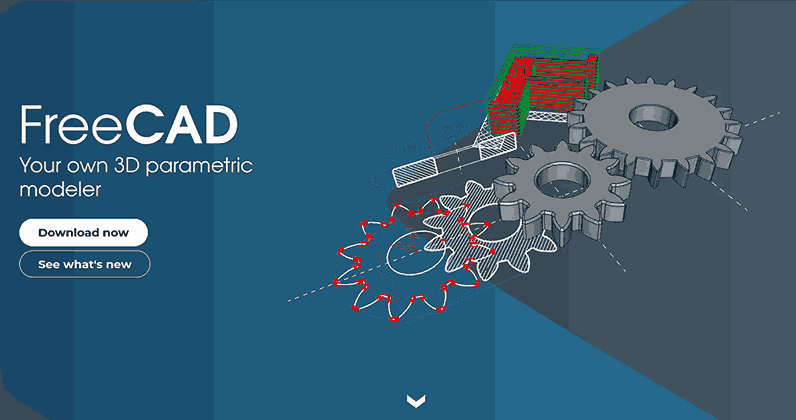
Parametric Mechanical CAD with FreeCAD teaches engineering design methodology by building complete, functional mechanical mechanisms with dimensions derived from kinematic analysis, manufacturing constraints, and engineering requirements, not arbitrary values or aesthetic preference.
Rather than learning FreeCAD tools in isolation, each lesson is built around one fundamental mechanical mechanism taken from real-world engineering practice. You learn why each dimension exists (kinematics, strength, manufacturability), how to implement it in CAD (sketching, constraints, assemblies), and what engineering decisions justify it (calculations, standards, analysis). No prior CAD experience required, but expect to think like an engineer from day one.
Each lesson follows a mechanism-first pedagogical approach:
🔧 Engineering Context Begin with the real-world mechanism and understand why it matters in engineering practice.
📚 Mechanical Theory Learn the fundamental principles of how the mechanism works—kinematics, motion relationships, and key parameters.
🎯 CAD Implementation Apply FreeCAD tools step-by-step to model the mechanism parametrically from scratch.
🛠️ Assembly & Documentation Create proper assemblies with motion constraints and generate technical drawings suitable for manufacturing.
Master FreeCAD Fundamentals Learn sketching, constraints, and Part Design workflow through practical mechanism design.
Build Parametric Thinking Develop the habit of thinking in terms of design intent, constraints, and parametric control.
Create Reusable Designs Build a library of mechanisms that change correctly when parameters are modified.
Apply Engineering Practice Use assemblies, technical drawings, and documentation as done in professional engineering.
Engineering Purpose
Why this mechanism matters and where it’s used in real machines
Mechanical Theory
The kinematics and fundamental principles behind the mechanism
CAD Fundamentals
FreeCAD skills introduced as needed to model the mechanism
Parametric Model
A fully parametric FreeCAD design controlled by a parameter table
Proper Assembly
Multi-part assembly with constraints that allow motion testing
Technical Drawings
Engineering drawings suitable for documentation or manufacturing
Slider Crank Mechanism The most common motion-conversion mechanism, used in engines, compressors, and pumps. Learn FreeCAD interface, sketching, constraints, part design, parameter tables, basic assemblies, and technical drawings.
Four-Bar Linkage Mechanism Fundamental to hinges, folding systems, and mechanical linkages. Master construction geometry, master-sketch driven design, spreadsheet parameter control, and pin-jointed assemblies.
Scissor Lift Mechanism Used in lifts, adjustable platforms, and deployable structures. Build repeating parametric geometry, manage symmetry, control stage count via parameters, and understand motion amplification.
Toggle Clamp Mechanism Widely used in manufacturing fixtures for locking and force amplification. Design with angle-based constraints, clearance-aware geometry, motion limits, and over-center locking behavior.
Pantograph Mechanism Scales motion in copying and tracing mechanisms. Implement ratio-driven parameter relationships, similar triangle geometry, and expression-linked dimensions across assemblies.
Cam and Follower Mechanism Fundamental to timed motion in engines and automated machinery. Master curve-based sketching, datum axes, parametric cam profile control, and motion-defining geometry documentation.
Geneva Mechanism Provides precise intermittent motion and indexing. Design with polar geometry, pattern-based features, angular constraints, and locking geometry for intermittent motion control.
Scotch Yoke Mechanism Offers compact rotation-to-linear conversion with pure sinusoidal characteristics. Create slot-driven motion geometry, clearance considerations, and stroke-based parameterization.
Python Scripting for Advanced CAD Introduction to Python scripting in FreeCAD. Learn the API basics, generate a mathematically-perfect involute gear, and discover debugging techniques. This lesson bridges to our dedicated Code-Based Mechanical Design course for lattice structures, optimization, data-driven design, and more.
🎯 Core Principles
Each lesson can be taken independently, yet together they form a coherent progression from simpler geometry and motion to more complex kinematic behavior.
By the end of the course, learners will not just know how to use FreeCAD. They will have designed a library of reusable mechanical elements and developed the habit of thinking in terms of design intent, constraints, and parametric control.
This mirrors real engineering practice, where CAD is not about drawing shapes, but about building systems that change correctly.
⚠️ Critical Distinction
Computer-Aided Design is not computer-aided drawing. Creating a 3D object on a computer is trivial. Engineering design demands that every dimension, feature, and material choice has a defensible engineering rationale.
A crank radius is not “50mm because it looks good.” It is 50mm because:
Similarly: Replicating someone else’s CAD model on your computer is valuable CAD software practice, but it is not engineering design until you understand why each dimension exists. Creating visually sophisticated 3D models demonstrates software proficiency, not engineering competence. Engineering CAD requires you to derive dimensions from requirements, not copy them from examples or choose them for appearance.
Every dimension in this course exists for a reason:
This course teaches you to think like an engineer using CAD as the documentation tool, not like an artist using CAD as a 3D canvas. You will justify dimensions with math, verify assemblies with motion studies, and generate drawings that communicate manufacturing intent.
This course uses FreeCAD instead of commercial CAD (Fusion 360, SolidWorks, Inventor) or free 3D software (Blender) for evidence-based reasons:
FreeCAD: True parametric constraint-based CAD for mechanical engineering
Blender: Free but mesh-based modeling for animation/visual effects
Commercial CAD (SolidWorks, Fusion 360): Parametric, but costly and restrictive (see below)
💰 Zero Cost, Forever
FreeCAD: Download today and it’s yours forever. No expiration, no license renewals, no feature restrictions.
Commercial alternatives: Subscription-based pricing models requiring ongoing payments; “free” tiers often have feature restrictions and can be modified or revoked
💼 Commercial Use Freedom
Sell your designs without legal limitations. Manufacture and sell products you design in FreeCAD with zero licensing fees or royalties.
Unlike “free for personal use” software, FreeCAD (GPL) places no restrictions on commercial use of your work
🔓 Data Sovereignty
FreeCAD: Your files, locally stored, no account required
Some alternatives: Cloud-based storage models requiring internet connectivity; your design data resides on vendor servers
🐧 True Cross-Platform
FreeCAD: Windows, macOS, Linux
Many alternatives: Limited to specific operating systems; Linux support often unavailable (critical for ROS, research, embedded systems)
🐍 Python Scripting API
Native Python API for computational design. Generate gears, lattices, optimization.
Integrates with NumPy, SciPy, matplotlib for engineering computation
🎨 Blender Integration for Photorealism
Live link between FreeCAD and Blender enables ultra-realistic rendering of your mechanical designs.
Design parametrically in FreeCAD, export seamlessly to Blender for materials, lighting, and photorealistic visualization. Combine engineering precision with artistic presentation.
🔧 Fully Extensible & Customizable
Create custom tools, macros, and workbenches using Python. Automate repetitive tasks, build specialized workflows, customize keyboard shortcuts.
Modify the source code itself if needed. Add features, fix bugs, make FreeCAD work exactly how you want. Share your improvements with the community or keep them private.
📈 Growing Community & Bright Future
Rapidly increasing donations and active development signal a strong future. The community is expanding, meaning your problem has likely already been solved by someone else.
You can contribute too. Donate, share knowledge, report bugs, or help develop features. The software grows with user needs, not shareholder demands.
Educational advantages:
FreeCAD is actively developed but less mature than decades-old commercial CAD (SolidWorks since 1995, Inventor since 1999). Some manufacturers’ workflows and machines integrate better with commercial CAD file formats and ecosystems. However: FreeCAD’s STEP/IGES/STL export and standard engineering drawings are sufficient for manufacturing most designs you’ll ever build, provided you understand manufacturers’ engineering requirements and communicate tolerances, materials, and processes clearly. The limitation is rarely the software, but understanding manufacturing constraints.
This course teaches engineering CAD methodology and manufacturing-aware design, not necessarily vendor-specific buttons.
Official Download: www.freecad.org
Download the Exact Version we Used: Archived Version
Note: The FreeCAD ecosystem includes commercially-backed development efforts such as Ondsel, which contributed improvements (topology naming fixes, UI enhancements) back to the FreeCAD core. This demonstrates both community and commercial interest in advancing the platform.
Recommended background:
What you’ll gain: