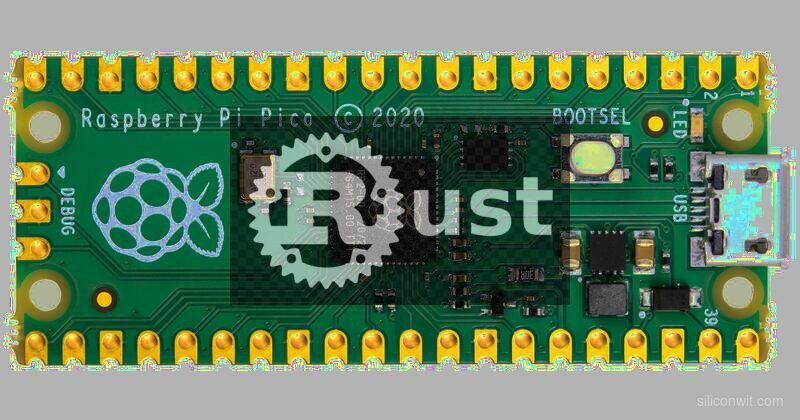
Rust is gaining serious traction in embedded systems, and for good reason. The compiler catches entire categories of firmware bugs (dangling pointers, data races, use-after-free, double peripheral initialization) before your code ever reaches the chip. This course teaches you to write embedded Rust on the Raspberry Pi Pico, starting with the rp2040-hal crate for direct hardware control and progressing to the Embassy async framework for concurrent firmware without an RTOS. Every lesson builds a real, working project on actual hardware. #EmbeddedRust #RP2040 #RaspberryPiPico
You already know registers, interrupts, DMA, and linker scripts. You want to understand what Rust actually gives you over C in firmware. Each lesson includes a “C vs Rust” sidebar that maps familiar C patterns to their Rust equivalents, so the transition is concrete rather than abstract.
Rust Developers Entering Embedded
You know ownership, traits, and lifetimes from application Rust. You want to apply those skills to microcontrollers. Each lesson explains the hardware concepts (registers, peripherals, interrupts) alongside the Rust code that drives them, so you build embedded intuition as you go.
Why Rust for Embedded
Typestate Safety
Rust HALs encode hardware state in the type system. A GPIO pin configured as an input has a different type than the same pin configured as an output. Try to write to an input pin and the compiler rejects your code. Try to read an ADC channel before configuring the ADC and the code does not compile. This is not runtime error checking; it is compile-time proof of correctness.
Ownership-Driven Peripherals
Each peripheral is a singleton that can only be owned by one part of your code at a time. No more wondering which module touched the SPI bus last. No more accidental double initialization. The borrow checker enforces exclusive access to hardware the same way it enforces exclusive access to memory.
Async Without an OS
Embassy provides cooperative async/await on bare-metal Cortex-M0+. You write firmware that looks like multiple concurrent tasks (read sensor, update display, handle buttons) without the RAM overhead of an RTOS. The executor is interrupt-driven, so idle tasks cost zero CPU cycles.
embedded-hal Portability
Drivers written against the embedded-hal traits work across any microcontroller. An SSD1306 OLED driver written for STM32 works on RP2040 with zero changes. Your driver code becomes portable while your HAL layer handles chip-specific details.
Production Adoption
Rust in embedded is not experimental. Production deployments include:
Company
Application
Volvo
In-vehicle infotainment low-level firmware
Microsoft
Surface firmware components
Framework Laptop
Embedded controller firmware (open-source, Rust)
Toyota (Woven Planet)
Vehicle platform safety-critical subsystems
ST Microelectronics
Official Rust support for STM32 (embassy-stm32)
Espressif
Official Rust toolchain for ESP32 (esp-hal)
Oxide Computer
Server BMC firmware, entirely in Rust (Hubris RTOS)
The embedded Rust ecosystem is mature enough for production use, and growing rapidly. Learning it now positions you for the industry direction.
Course Structure
Each lesson follows a consistent cycle:
The Project
A real, useful thing to build. The project drives which Rust concepts and peripherals you need.
Rust Concepts in Context
Ownership, borrowing, typestate, traits, or async patterns explained through the hardware problem at hand. Not abstract theory; concrete firmware.
Implementation
Write the firmware using rp2040-hal (Lessons 1 through 5) or Embassy (Lessons 6 through 9). Full working code with explanations.
C vs Rust Sidebar
How you would solve the same problem in C, and what the Rust version catches at compile time that C catches at debug time (or never).
Build, Flash, and Test
Flash with probe-rs, view defmt logs over RTT, and verify the project works on real hardware.
Lessons
Lesson 1: Rust Toolchain and First Blink
Rust Toolchain and First Blink. Install Rust, probe-rs, and flip-link. Create your first rp2040 project with Cargo, understand Cargo.toml dependencies, memory.x, and .cargo/config.toml. Build a blinking LED with defmt logging over RTT.
Build: Blinking LED with RTT logging. Parts: Raspberry Pi Pico, debug probe, LED, resistor.
Lesson 2: Ownership, Borrowing, and Hardware
Ownership, Borrowing, and Hardware. Learn how Rust’s ownership model maps to hardware peripherals. Typestate GPIO, button debouncing with owned state, error handling with Result, and safe access to shared resources with Mutex and critical sections.
Build: Button-toggled LED with debounce. Parts: Push button, LED, resistors.
Lesson 3: Timers, PWM, and Interrupts
Timers, PWM, and Interrupts. Configure RP2040 timers, generate servo PWM, handle interrupts with the critical-section crate, and read analog inputs. Build a pot-controlled servo with buzzer feedback.
Build: Potentiometer-controlled servo with buzzer. Parts: SG90 servo, potentiometer, piezo buzzer.
Lesson 4: I2C, SPI, and embedded-hal Drivers
I2C, SPI, and embedded-hal Drivers. Use embedded-hal traits to interface a BME280 sensor over I2C and an SSD1306 OLED over I2C/SPI. Understand how trait-based drivers enable cross-platform portability.
Build: Environmental sensor dashboard on OLED. Parts: BME280, SSD1306 OLED.
Lesson 5: UART, DMA, and292Data Pipelines
UART, DMA, and Data Pipelines. Parse GPS NMEA sentences over UART, log data to a microSD card over SPI, and use DMA for efficient data movement without CPU polling.
Build: GPS data logger with SD storage. Parts: NEO-6M GPS module, microSD module.
Lesson 6: Embassy Async Runtime
Embassy Async Runtime. Transition from polling to async/await with Embassy. Understand the executor, async tasks, timers, and channels. Rebuild earlier projects as concurrent async tasks.
Build: Multitask sensor dashboard (async). Parts: Reuse existing.
Lesson 7: Embassy Networking with Pico W
Embassy Networking with Pico W. Use embassy-net and the CYW43 driver for Wi-Fi connectivity. TCP sockets, HTTP serving, and MQTT publishing. Build a wireless sensor node.
Build: Wi-Fi sensor node with MQTT. Parts: Pico W (swap from Pico).
Lesson 8: PIO in Rust
PIO in Rust. Program the RP2040’s Programmable I/O state machines from Rust using pio-rs. Drive WS2812B NeoPixel LEDs and implement custom protocols with PIO programs compiled at build time.
Build: NeoPixel LED strip controller. Parts: WS2812B LED strip (8 pixels).
Lesson 9: Async Sensor Hub Project
Async Sensor Hub Project. Combine everything into a production-quality firmware: async tasks, sensor reading, display output, wireless reporting, SD card logging, and alarm outputs. Build a complete environmental monitoring station.
Build: Wireless environmental monitor with OLED, SD card, MQTT. Parts: Reuse all parts.
Parts Kit
Part
Quantity
First Used
Approximate Cost
Raspberry Pi Pico
1
Lesson 1
~4 USD
Raspberry Pi Pico W
1
Lesson 7
~6 USD
Debug probe (Picoprobe or ST-Link V2)
1
Lesson 1
2-5 USD
Micro USB cable
2
Lesson 1
~2 USD
Breadboard + jumper wires
1 set
Lesson 1
3-5 USD
LEDs (assorted) + 220 ohm resistors
4 each
Lesson 1
~1 USD
Push buttons
2
Lesson 2
~0.50 USD
SG90 micro servo
1
Lesson 3
~2 USD
Potentiometer (10K)
1
Lesson 3
~0.25 USD
Piezo buzzer
1
Lesson 3
~0.50 USD
BME280 sensor module (I2C)
1
Lesson 4
2-3 USD
SSD1306 OLED display (I2C, 128x64)
1
Lesson 4
3-4 USD
NEO-6M GPS module
1
Lesson 5
3-5 USD
MicroSD card module (SPI)
1
Lesson 5
1-2 USD
MicroSD card (any size)
1
Lesson 5
~2 USD
WS2812B LED strip (8 pixels)
1
Lesson 8
2-3 USD
Total estimated cost: 30-45 USD (including both Pico and Pico W)
Our RTOS Programming course (helps appreciate what Embassy replaces)
Getting Started
Get a Raspberry Pi Pico (~4 USD) and a Pico W (~6 USD) for the wireless lesson. You need a debug probe for Rust development: either a second Pico flashed as a Picoprobe, or an ST-Link V2 clone.
Install Rust from rustup.rs. The installer sets up rustc, cargo, and rustup. Lesson 1 walks through adding the thumbv6m-none-eabi target for Cortex-M0+.
Install probe-rs for flashing and debugging. This replaces OpenOCD for Rust embedded workflows. One command: cargo install probe-rs-tools.
Start with Lesson 1. You will create a Cargo project, configure the linker, and flash a blinking LED with defmt log output over RTT (Real-Time Transfer).
Work through lessons in order. Each lesson builds on Rust concepts and hardware patterns from previous lessons.