Skip to content

Debugging and Profiling RTOS Applications

Debugging and Profiling RTOS Applications hero image
Modified:
Published:

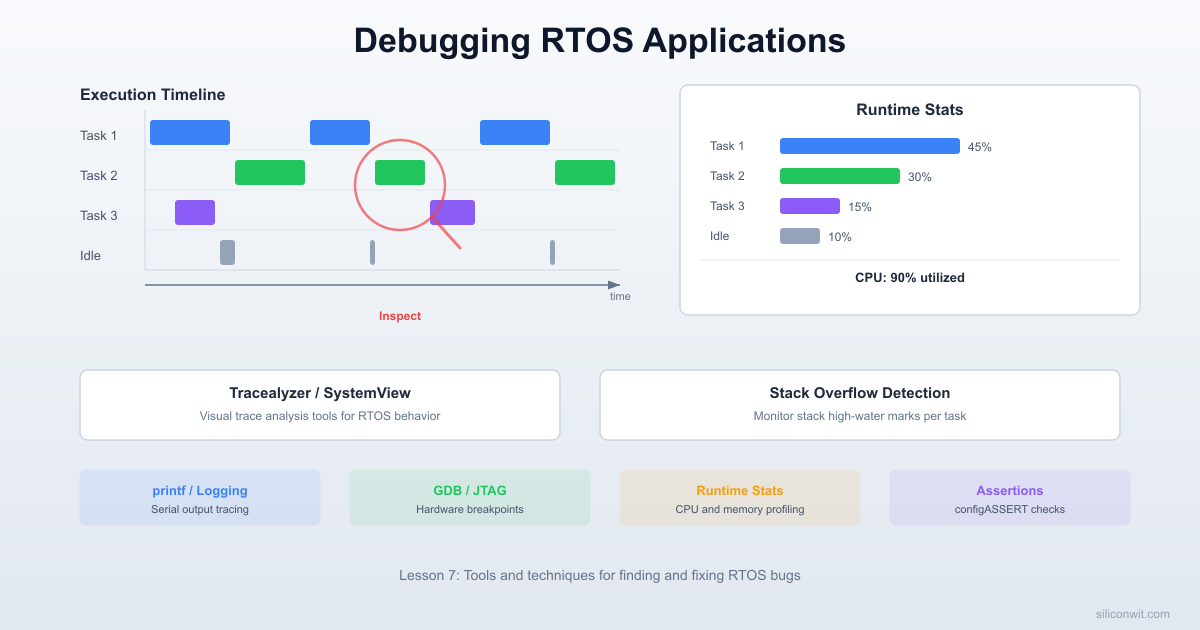
RTOS bugs are uniquely frustrating because they depend on timing. A deadlock only triggers when two tasks acquire locks in a specific order. Priority inversion only surfaces under particular load conditions. A stack overflow might corrupt memory silently for hours before the system crashes. Printf debugging cannot capture these problems because adding print statements changes the timing and makes the bug disappear. In this lesson you will work through provided buggy firmware containing three planted defects and use professional tracing tools (Tracealyzer and SEGGER SystemView) to visualize exactly what each task is doing at microsecond resolution. #RTOSDebugging #Tracealyzer #SystemView

What We Are Building

RTOS Bug Hunt

Pre-written firmware with three deliberately planted bugs: (1) a deadlock caused by two tasks acquiring two mutexes in opposite order, (2) priority inversion where a low-priority task blocks a high-priority task through a shared resource, and (3) a stack overflow from a recursive parsing function. You will connect tracing tools, capture execution timelines, identify each bug from the trace data, and apply the correct fix.

Project specifications:

ParameterValue
MCUSTM32 Blue Pill or ESP32 DevKit
RTOSFreeRTOS with trace hooks enabled
Tracing toolsTracealyzer (free eval) and/or SEGGER SystemView
Bug 1Deadlock (two mutexes, opposite acquisition order)
Bug 2Priority inversion (shared resource, no inheritance)
Bug 3Stack overflow (recursive function exceeds stack)
DiagnosticsCPU load %, per-task stack high-water mark, queue fill level
ComponentsMCU board only (reuse existing hardware)

Parts List

RefComponentQuantityNotes
U1STM32 Blue Pill or ESP32 DevKit1Reuse from prior courses
-ST-Link V2 or J-Link1For SWD trace capture (STM32)
-USB cable1For serial monitor / ESP32 trace output

Why RTOS Bugs Are Different


Traditional embedded debugging relies on breakpoints and printf statements. Both approaches fail for RTOS problems. When you hit a breakpoint, the debugger pauses the entire processor, which means the scheduler stops, timer interrupts stop firing, and every task freezes simultaneously. A deadlock that depends on two tasks racing to acquire locks cannot be observed when both tasks are frozen. The bug only exists in the interaction between tasks, and the breakpoint destroys that interaction.

Printf debugging has a subtler problem. UART transmission takes real time. At 115200 baud, printing a 40-character status line takes about 3.5 ms. That is 3.5 ms during which the calling task holds the CPU (or blocks on UART), other tasks do not run, and the scheduler’s timing is completely different from the original code. The classic name for this is a Heisenberg bug: observing it changes the system enough to make it disappear. You add a printf, the deadlock stops happening, you remove the printf, the deadlock comes back.

Deadlock: Two Mutexes, Opposite Order
──────────────────────────────────────────
Task A Task B
────── ──────
take(mutex_1) ✓ take(mutex_2) ✓
take(mutex_2) ← BLOCKED take(mutex_1) ← BLOCKED
│ │
└─── waiting for B ───────┘
B waiting for A
= DEADLOCK (both stuck forever)
Fix: always acquire mutexes in the same order.

What you need instead is trace-based debugging. Trace tools record timestamped events (task switches, mutex takes, queue operations) into a RAM buffer with minimal overhead, typically a few microseconds per event. After the bug occurs, you examine the trace to see exactly which task did what and when. The system ran at nearly full speed, so the timing relationships that cause the bug are preserved in the recording.

FreeRTOS Runtime Statistics


FreeRTOS includes built-in profiling that measures how much CPU time each task consumes. This requires three configuration macros and a dedicated hardware timer.

FreeRTOSConfig.h Settings

/* Enable runtime stats collection */
#define configGENERATE_RUN_TIME_STATS 1
#define configUSE_TRACE_FACILITY 1
#define configUSE_STATS_FORMATTING_FUNCTIONS 1
/* Timer setup and read macros (defined below) */
extern void vConfigureTimerForRunTimeStats(void);
extern uint32_t ulGetRunTimeCounterValue(void);
#define portCONFIGURE_TIMER_FOR_RUN_TIME_STATS() vConfigureTimerForRunTimeStats()
#define portGET_RUN_TIME_COUNTER_VALUE() ulGetRunTimeCounterValue()
Tracealyzer / SystemView Timeline
──────────────────────────────────────────
Time (ms) 0 5 10 15 20 25
Task A: ▓▓▓──────▓▓▓──────▓▓▓─────
Task B: ───▓▓▓▓──────▓▓▓▓──────▓▓▓
Task C: ──────────▓─────────────────
ISR: ─▲────▲────▲────▲────▲────▲
│ │ │ │ │ │
SysTick interrupts (1 kHz)
Trace captures every context switch, mutex
take/give, queue send/receive as timestamped
events in a RAM buffer.

The stats timer must tick faster than the RTOS tick (typically 1 kHz). A 10x to 100x factor gives good resolution. We will use TIM2 on the STM32 running at 100 kHz (10 us resolution).

Hardware Timer Setup (STM32)

/* stats_timer.c - TIM2 configured as a free-running 100 kHz counter */
#include "stm32f1xx.h"
void vConfigureTimerForRunTimeStats(void) {
/* Enable TIM2 clock */
RCC->APB1ENR |= RCC_APB1ENR_TIM2EN;
/* 72 MHz / 720 = 100 kHz */
TIM2->PSC = 720 - 1;
TIM2->ARR = 0xFFFFFFFF; /* 32-bit counter, max reload */
TIM2->CR1 = TIM_CR1_CEN; /* Start counting */
}
uint32_t ulGetRunTimeCounterValue(void) {
return TIM2->CNT;
}

On ESP32, you can use the built-in esp_timer_get_time() which returns microseconds since boot:

#define portCONFIGURE_TIMER_FOR_RUN_TIME_STATS() /* No setup needed */
#define portGET_RUN_TIME_COUNTER_VALUE() ((uint32_t)(esp_timer_get_time()))

No separate timer configuration is required because the ESP-IDF provides a high-resolution timer out of the box.

Reading the Statistics

Once the stats timer is running, call vTaskGetRunTimeStats() to get a formatted string showing each task’s absolute and percentage CPU usage:

static void vMonitorTask(void *pvParameters) {
char stats_buf[512];
for (;;) {
vTaskDelay(pdMS_TO_TICKS(5000));
vTaskGetRunTimeStats(stats_buf);
uart_send_string("\r\n=== Runtime Stats ===\r\n");
uart_send_string(stats_buf);
uart_send_string("=====================\r\n");
}
}

Typical output:

=== Runtime Stats ===
Task Abs Time % Time
IDLE 48312109 96%
Monitor 102340 <1%
SensorRead 85210 <1%
DataProcess 63420 <1%
Tmr Svc 1240 <1%
=====================

The IDLE task should dominate. If any application task exceeds 10 to 20% of CPU time, investigate whether it is busy-waiting or running a tight loop.

For programmatic access (to trigger alerts or log to flash), use uxTaskGetSystemState():

static void vCheckCpuLoad(void) {
TaskStatus_t task_array[10];
uint32_t total_runtime;
UBaseType_t count = uxTaskGetSystemState(
task_array, 10, &total_runtime
);
for (UBaseType_t i = 0; i < count; i++) {
uint32_t pct = (task_array[i].ulRunTimeCounter * 100) / total_runtime;
if (pct > 20) {
char buf[64];
snprintf(buf, sizeof(buf),
"WARNING: %s using %lu%% CPU\r\n",
task_array[i].pcTaskName,
(unsigned long)pct);
uart_send_string(buf);
}
}
}

vTaskList() Output


The vTaskList() function produces a formatted table of all tasks in the system:

char list_buf[512];
vTaskList(list_buf);
uart_send_string(list_buf);

Output:

Name State Prio Stack Num
IDLE R 0 112 4
Monitor B 1 198 3
SensorRead B 2 156 1
DataProcess B 2 134 2
Tmr Svc B 2 220 5

Each column provides diagnostic information:

ColumnMeaning
NameTask name (set at xTaskCreate)
StateR = Running, B = Blocked, S = Suspended, D = Deleted
PrioCurrent priority (may differ from base if inheritance is active)
StackHigh-water mark in words (minimum free stack ever observed)
NumTask number assigned at creation

The Stack column is particularly important. It shows the minimum number of free stack words the task has ever had. If this number approaches zero, the task is close to overflowing its stack. A common rule of thumb: if the high-water mark drops below 20% of the total stack allocation, increase the stack size.

SEGGER SystemView


SEGGER SystemView is a free real-time analysis tool that visualizes task execution, interrupts, and RTOS API calls on a timeline. It works by intercepting FreeRTOS trace hook macros, writing compact binary events into a ring buffer in RAM, and streaming that buffer to the host PC via a J-Link debug probe or UART.

How It Works

  1. FreeRTOS calls trace hook macros at every context switch, mutex take/give, queue send/receive, and other kernel events.
  2. The SEGGER SystemView recorder library encodes each event as a compact binary packet (typically 4 to 12 bytes) with a high-resolution timestamp.
  3. Events accumulate in a ring buffer in target RAM (typically 1 to 4 KB).
  4. The J-Link reads this buffer continuously via SWD without halting the CPU. Alternatively, a UART streaming mode sends events over serial.
  5. The SystemView PC application decodes the stream and renders interactive timelines.

Setup Steps

  1. Download SEGGER SystemView from segger.com/systemview. The target-side source files are included in the download.

  2. Copy the following files into your project:

    • SEGGER_SYSVIEW.c and SEGGER_SYSVIEW.h (core recorder)
    • SEGGER_SYSVIEW_Config_FreeRTOS.c (FreeRTOS-specific configuration)
    • SEGGER_SYSVIEW_FreeRTOS.h (trace hook definitions)
    • SEGGER_RTT.c and SEGGER_RTT.h (Real-Time Transfer for J-Link communication)
  3. In FreeRTOSConfig.h, include the trace hook header at the end of the file (after all other defines):

    /* Must be last in FreeRTOSConfig.h */
    #include "SEGGER_SYSVIEW_FreeRTOS.h"

    This header redefines traceTASK_SWITCHED_IN(), traceTASK_SWITCHED_OUT(), traceBLOCKING_ON_QUEUE_RECEIVE(), and dozens of other hooks to call SystemView recording functions.

  4. In your main(), call SEGGER_SYSVIEW_Conf() before starting the scheduler:

    #include "SEGGER_SYSVIEW.h"
    int main(void) {
    clock_init();
    uart_init();
    SEGGER_SYSVIEW_Conf(); /* Initialize SystemView */
    /* Create tasks ... */
    vTaskStartScheduler();
    for (;;);
    }
  5. Connect the J-Link to SWD (SWDIO and SWCLK pins on the Blue Pill). Open the SystemView application on your PC, click Start Recording, and select the J-Link connection.

The SystemView timeline shows colored bars for each task. When a task is running, its bar is solid. When it blocks on a mutex or queue, you see a gap with an annotation showing which object it is waiting on. Context switches appear as vertical lines where one task’s bar ends and another begins. This view makes deadlocks immediately visible: two tasks both show “blocked on mutex” at the same time, and neither ever resumes.

Tracealyzer


Percepio Tracealyzer is another professional trace analysis tool. It offers a free evaluation license and provides similar timeline visualization with additional views like CPU load graphs, communication flow diagrams, and statistical analysis of response times.

Snapshot Mode vs. Streaming Mode

ModeHow it worksProsCons
SnapshotTrace events fill a RAM buffer. You halt the CPU (or trigger a dump), then Tracealyzer reads the bufferNo special hardware needed, works with any debuggerOnly captures the last N events, may miss the moment the bug occurred
StreamingEvents stream continuously to the host via J-Link, UART, or TCP/IP (on ESP32)Captures everything, can record for minutes or hoursRequires a fast link, may lose events if the link is too slow

Setup Overview

  1. Download Tracealyzer from percepio.com. Request a free evaluation license.

  2. Copy the Tracealyzer recorder library (TraceRecorder/) into your project. The key files are trcRecorder.c, trcRecorder.h, and the configuration file trcConfig.h.

  3. In trcConfig.h, configure the recorder for FreeRTOS:

    #define TRC_CFG_FREERTOS_VERSION TRC_FREERTOS_VERSION_10_4_0
    #define TRC_CFG_RECORDER_MODE TRC_RECORDER_MODE_SNAPSHOT
    #define TRC_CFG_RECORDER_BUFFER_SIZE 4096
  4. In FreeRTOSConfig.h, include the Tracealyzer header (similar to SystemView, this redefines the trace hooks):

    /* Must be last in FreeRTOSConfig.h */
    #include "trcRecorder.h"
  5. Initialize the recorder before starting the scheduler:

    xTraceEnable(TRC_START);
    vTaskStartScheduler();
  6. For snapshot mode, halt the CPU after the bug occurs, then use Tracealyzer’s “Read Trace” to extract the buffer from RAM via your debugger.

Both SystemView and Tracealyzer provide the same fundamental capability: non-intrusive recording of RTOS events with microsecond timestamps. Choose whichever is more convenient for your hardware setup. If you have a J-Link, SystemView is the easiest path. If you only have an ST-Link, Tracealyzer’s snapshot mode works well.

The Bug Hunt


Now for the core of this lesson. Below are three buggy code patterns. Each one compiles and runs, but fails under specific conditions. For each bug, you will see the buggy code, the symptom, what a trace reveals, and the fix.

Bug 1: Deadlock

Two tasks share two resources (a UART port and a shared data buffer), each protected by its own mutex. Task A acquires the UART mutex first, then the buffer mutex. Task B acquires them in the opposite order. Under the right timing, both tasks acquire one mutex each and block forever waiting for the other.

Buggy code:

static SemaphoreHandle_t xMutexUART;
static SemaphoreHandle_t xMutexBuffer;
static char shared_buffer[128];
/* Task A: read sensor, format into buffer, send over UART */
static void vTaskA_Buggy(void *pvParameters) {
for (;;) {
/* Lock UART first, then buffer */
xSemaphoreTake(xMutexUART, portMAX_DELAY);
xSemaphoreTake(xMutexBuffer, portMAX_DELAY);
snprintf(shared_buffer, sizeof(shared_buffer),
"Sensor: %lu\r\n", (unsigned long)xTaskGetTickCount());
uart_send_string(shared_buffer);
xSemaphoreGive(xMutexBuffer);
xSemaphoreGive(xMutexUART);
vTaskDelay(pdMS_TO_TICKS(100));
}
}
/* Task B: receive command over UART, write to buffer */
static void vTaskB_Buggy(void *pvParameters) {
for (;;) {
/* Lock buffer first, then UART (OPPOSITE ORDER!) */
xSemaphoreTake(xMutexBuffer, portMAX_DELAY);
xSemaphoreTake(xMutexUART, portMAX_DELAY);
uart_send_string("ACK\r\n");
snprintf(shared_buffer, sizeof(shared_buffer), "CMD OK");
xSemaphoreGive(xMutexUART);
xSemaphoreGive(xMutexBuffer);
vTaskDelay(pdMS_TO_TICKS(150));
}
}

Symptom: The system runs for a few seconds (sometimes minutes), then all serial output stops. The LED heartbeat (if you have one) also stops because the scheduler is still running but both tasks are permanently blocked.

What the trace reveals: In SystemView or Tracealyzer, you see Task A successfully take xMutexUART, then a context switch to Task B, which successfully takes xMutexBuffer. Task B then attempts to take xMutexUART and blocks. Task A resumes and attempts to take xMutexBuffer and blocks. From this point forward, neither task ever runs again. The trace shows two “Blocked on Mutex” events that never resolve.

Fix: Consistent lock ordering. Always acquire mutexes in the same order everywhere in your codebase. Define a global ordering (e.g., UART before Buffer) and follow it in every task:

/* Task B: FIXED - acquire in same order as Task A */
static void vTaskB_Fixed(void *pvParameters) {
for (;;) {
/* Lock UART first, then buffer (SAME ORDER as Task A) */
xSemaphoreTake(xMutexUART, portMAX_DELAY);
xSemaphoreTake(xMutexBuffer, portMAX_DELAY);
uart_send_string("ACK\r\n");
snprintf(shared_buffer, sizeof(shared_buffer), "CMD OK");
xSemaphoreGive(xMutexBuffer);
xSemaphoreGive(xMutexUART);
vTaskDelay(pdMS_TO_TICKS(150));
}
}

Bug 2: Priority Inversion

A high-priority task and a low-priority task share a resource. The low-priority task acquires a binary semaphore (which has no priority inheritance), holds it while doing slow work, and a medium-priority task preempts the low-priority task. The high-priority task is starved because it is waiting for the semaphore that the low-priority task holds, but the low-priority task cannot release it because the medium-priority task keeps preempting it.

Buggy code:

/* BUG: Using binary semaphore instead of mutex for mutual exclusion */
static SemaphoreHandle_t xResourceLock;
/* Low priority (1): reads sensor slowly */
static void vLowPriorityTask_Buggy(void *pvParameters) {
for (;;) {
xSemaphoreTake(xResourceLock, portMAX_DELAY);
/* Simulate slow sensor read (50 ms of work) */
TickType_t start = xTaskGetTickCount();
while ((xTaskGetTickCount() - start) < pdMS_TO_TICKS(50)) {
/* Busy-wait simulating I/O-bound work */
}
xSemaphoreGive(xResourceLock);
vTaskDelay(pdMS_TO_TICKS(200));
}
}
/* Medium priority (2): heavy computation, does not use the resource */
static void vMediumPriorityTask(void *pvParameters) {
for (;;) {
/* Compute-heavy work that preempts the low-priority task */
volatile uint32_t sum = 0;
for (volatile uint32_t i = 0; i < 500000; i++) {
sum += i;
}
vTaskDelay(pdMS_TO_TICKS(10));
}
}
/* High priority (3): needs the resource urgently */
static void vHighPriorityTask_Buggy(void *pvParameters) {
TickType_t wait_start;
for (;;) {
vTaskDelay(pdMS_TO_TICKS(100));
wait_start = xTaskGetTickCount();
xSemaphoreTake(xResourceLock, portMAX_DELAY);
TickType_t waited = xTaskGetTickCount() - wait_start;
char buf[64];
snprintf(buf, sizeof(buf),
"HIGH: got resource after %lu ms\r\n",
(unsigned long)(waited * portTICK_PERIOD_MS));
uart_send_string(buf);
xSemaphoreGive(xResourceLock);
}
}

Where the semaphore is created with:

xResourceLock = xSemaphoreCreateBinary();
xSemaphoreGive(xResourceLock); /* Start in "available" state */

Symptom: The high-priority task reports wait times of 100+ ms instead of the expected 50 ms maximum. Serial output shows erratic, long delays.

What the trace reveals: The trace timeline shows the low-priority task acquire the semaphore, then the medium-priority task preempts it (because medium > low). The medium-priority task runs for a long burst. Meanwhile the high-priority task wakes, tries to take the semaphore, and blocks. The high-priority task cannot run because the semaphore is held by the low-priority task. The low-priority task cannot run because the medium-priority task is preempting it. The medium-priority task does not even use the resource. The result: the highest-priority task in the system is effectively running at the lowest priority.

Fix: Use xSemaphoreCreateMutex() instead of xSemaphoreCreateBinary(). FreeRTOS mutexes include priority inheritance. When the high-priority task blocks on a mutex held by the low-priority task, the kernel temporarily raises the low-priority task to the high-priority level. This lets it finish and release the mutex before the medium-priority task can preempt it:

/* FIXED: mutex with priority inheritance */
xResourceLock = xSemaphoreCreateMutex();

No other code changes are needed. The xSemaphoreTake and xSemaphoreGive API is identical for binary semaphores and mutexes. Only the creation function differs. After this fix, the trace shows the low-priority task’s priority temporarily elevated to 3 while it holds the mutex, allowing it to complete without being preempted by the medium-priority task.

Bug 3: Stack Overflow

A task parses JSON-formatted configuration strings using a recursive descent parser. The stack usage depends on the nesting depth of the input. Small inputs work fine, but a deeply nested configuration string overflows the task’s stack.

Buggy code:

/* Recursive JSON-ish parser (simplified for demonstration) */
static int parse_value(const char **pp, int depth);
static int parse_object(const char **pp, int depth) {
char local_buf[32]; /* 32 bytes of stack per recursion level */
if (**pp != '{') return -1;
(*pp)++;
while (**pp && **pp != '}') {
/* Skip to value */
while (**pp && **pp != ':') (*pp)++;
if (**pp == ':') (*pp)++;
/* Copy key name into local buffer */
int i = 0;
while (**pp && **pp != ',' && **pp != '}'
&& **pp != '{' && i < 31) {
local_buf[i++] = *(*pp)++;
}
local_buf[i] = '\0';
/* Recurse into nested objects */
if (**pp == '{') {
parse_value(pp, depth + 1);
}
if (**pp == ',') (*pp)++;
}
if (**pp == '}') (*pp)++;
return 0;
}
static int parse_value(const char **pp, int depth) {
if (depth > 50) return -1; /* Safety limit, but too late */
return parse_object(pp, depth);
}
/* Task with only 256-word (1024-byte) stack */
static void vParserTask_Buggy(void *pvParameters) {
for (;;) {
/* Small input: works fine */
const char *small = "{a:1,b:2}";
const char *p = small;
parse_value(&p, 0);
/* Large nested input: overflows the stack */
const char *deep = "{a:{b:{c:{d:{e:{f:{g:{h:{i:{j:1}}}}}}}}}}";
p = deep;
parse_value(&p, 0); /* CRASH: ~10 levels x ~80 bytes each */
vTaskDelay(pdMS_TO_TICKS(1000));
}
}

Created with:

xTaskCreate(vParserTask_Buggy, "Parser", 256, NULL, 1, NULL);
/* 256 words = 1024 bytes on 32-bit ARM */

Symptom: The system runs for one iteration, parses the small input successfully, then crashes on the deep input. If configCHECK_FOR_STACK_OVERFLOW is enabled, you see the stack overflow hook fire. Without it, you get a hard fault or random memory corruption.

What the trace reveals: The trace shows the Parser task running, then a sudden stop or a hard fault exception. The vTaskList() output taken before the crash shows the Parser task’s stack high-water mark at 12 words (48 bytes free), which is dangerously close to zero. After increasing nesting, the stack is fully consumed.

Fix: Two options, from best to easiest:

Option A: Remove recursion. Replace the recursive parser with an iterative one that uses an explicit stack on the heap:

/* Iterative parser with explicit stack */
#define MAX_DEPTH 32
static int parse_iterative(const char *input) {
int depth = 0;
const char *p = input;
while (*p) {
if (*p == '{') {
depth++;
if (depth > MAX_DEPTH) return -1;
} else if (*p == '}') {
depth--;
}
p++;
}
return (depth == 0) ? 0 : -1;
}

Option B: Increase the stack. If the recursive structure is necessary, allocate a larger stack:

/* 512 words = 2048 bytes, enough for ~20 levels of nesting */
xTaskCreate(vParserTask_Fixed, "Parser", 512, NULL, 1, NULL);

Always enable stack overflow detection during development:

/* In FreeRTOSConfig.h */
#define configCHECK_FOR_STACK_OVERFLOW 2
/* In your code */
void vApplicationStackOverflowHook(TaskHandle_t xTask,
char *pcTaskName) {
char buf[64];
snprintf(buf, sizeof(buf),
"STACK OVERFLOW: %s\r\n", pcTaskName);
uart_send_string(buf);
for (;;); /* Halt for debugging */
}

Method 2 (configCHECK_FOR_STACK_OVERFLOW = 2) writes a known pattern to the end of the stack and checks whether it has been overwritten. This catches most overflows but adds a small overhead to each context switch.

Complete Buggy Firmware


This firmware contains all three bugs, controlled by conditional compilation. Enable one #define at a time to reproduce each bug independently. A monitoring task prints runtime statistics and task stack levels so you can observe the symptoms.

/* main.c - Buggy RTOS Firmware (STM32 Blue Pill)
*
* Enable ONE bug at a time by uncommenting the corresponding define:
*/
#define BUG_DEADLOCK 1
// #define BUG_INVERSION 1
// #define BUG_OVERFLOW 1
#include "FreeRTOS.h"
#include "task.h"
#include "semphr.h"
#include "queue.h"
#include "stm32f1xx.h"
#include "clock.h"
#include "uart.h"
#include <stdio.h>
#include <string.h>
/* ---------- Shared resources ---------- */
static SemaphoreHandle_t xMutexUART;
static SemaphoreHandle_t xMutexBuffer;
static SemaphoreHandle_t xResourceLock;
static char shared_buffer[128];
/* ---------- Stack overflow hook ---------- */
void vApplicationStackOverflowHook(TaskHandle_t xTask,
char *pcTaskName) {
/* Disable interrupts and report */
taskDISABLE_INTERRUPTS();
char buf[64];
snprintf(buf, sizeof(buf), "\r\n!!! STACK OVERFLOW: %s !!!\r\n",
pcTaskName);
uart_send_string(buf);
for (;;);
}
/* ---------- Stats timer (TIM2 at 100 kHz) ---------- */
void vConfigureTimerForRunTimeStats(void) {
RCC->APB1ENR |= RCC_APB1ENR_TIM2EN;
TIM2->PSC = 720 - 1;
TIM2->ARR = 0xFFFFFFFF;
TIM2->CR1 = TIM_CR1_CEN;
}
uint32_t ulGetRunTimeCounterValue(void) {
return TIM2->CNT;
}
/* =============================================
* BUG 1: DEADLOCK
* Two tasks acquire two mutexes in opposite order.
* ============================================= */
#ifdef BUG_DEADLOCK
static void vTaskA_Deadlock(void *pvParameters) {
for (;;) {
xSemaphoreTake(xMutexUART, portMAX_DELAY);
vTaskDelay(pdMS_TO_TICKS(1)); /* Small delay increases collision chance */
xSemaphoreTake(xMutexBuffer, portMAX_DELAY);
snprintf(shared_buffer, sizeof(shared_buffer),
"TaskA: tick=%lu\r\n",
(unsigned long)xTaskGetTickCount());
uart_send_string(shared_buffer);
xSemaphoreGive(xMutexBuffer);
xSemaphoreGive(xMutexUART);
vTaskDelay(pdMS_TO_TICKS(100));
}
}
static void vTaskB_Deadlock(void *pvParameters) {
for (;;) {
xSemaphoreTake(xMutexBuffer, portMAX_DELAY); /* OPPOSITE ORDER */
vTaskDelay(pdMS_TO_TICKS(1));
xSemaphoreTake(xMutexUART, portMAX_DELAY);
uart_send_string("TaskB: ACK\r\n");
snprintf(shared_buffer, sizeof(shared_buffer), "CMD OK");
xSemaphoreGive(xMutexUART);
xSemaphoreGive(xMutexBuffer);
vTaskDelay(pdMS_TO_TICKS(150));
}
}
#endif /* BUG_DEADLOCK */
/* =============================================
* BUG 2: PRIORITY INVERSION
* Binary semaphore used for mutual exclusion (no inheritance).
* ============================================= */
#ifdef BUG_INVERSION
static void vLowPriorityTask(void *pvParameters) {
for (;;) {
xSemaphoreTake(xResourceLock, portMAX_DELAY);
/* Simulate slow I/O (50 ms busy-wait) */
TickType_t start = xTaskGetTickCount();
while ((xTaskGetTickCount() - start) < pdMS_TO_TICKS(50)) {
/* Busy-wait */
}
xSemaphoreGive(xResourceLock);
vTaskDelay(pdMS_TO_TICKS(200));
}
}
static void vMediumPriorityTask(void *pvParameters) {
for (;;) {
volatile uint32_t sum = 0;
for (volatile uint32_t i = 0; i < 500000; i++) {
sum += i;
}
vTaskDelay(pdMS_TO_TICKS(10));
}
}
static void vHighPriorityTask(void *pvParameters) {
TickType_t wait_start;
for (;;) {
vTaskDelay(pdMS_TO_TICKS(100));
wait_start = xTaskGetTickCount();
xSemaphoreTake(xResourceLock, portMAX_DELAY);
TickType_t waited = xTaskGetTickCount() - wait_start;
char buf[64];
snprintf(buf, sizeof(buf),
"HIGH: resource after %lu ms\r\n",
(unsigned long)(waited * portTICK_PERIOD_MS));
uart_send_string(buf);
xSemaphoreGive(xResourceLock);
}
}
#endif /* BUG_INVERSION */
/* =============================================
* BUG 3: STACK OVERFLOW
* Recursive parser with too-small stack.
* ============================================= */
#ifdef BUG_OVERFLOW
static int parse_value(const char **pp, int depth);
static int parse_object(const char **pp, int depth) {
char local_buf[32];
if (**pp != '{') return -1;
(*pp)++;
while (**pp && **pp != '}') {
while (**pp && **pp != ':') (*pp)++;
if (**pp == ':') (*pp)++;
int i = 0;
while (**pp && **pp != ',' && **pp != '}'
&& **pp != '{' && i < 31) {
local_buf[i++] = *(*pp)++;
}
local_buf[i] = '\0';
if (**pp == '{') {
parse_value(pp, depth + 1);
}
if (**pp == ',') (*pp)++;
}
if (**pp == '}') (*pp)++;
return 0;
}
static int parse_value(const char **pp, int depth) {
if (depth > 50) return -1;
return parse_object(pp, depth);
}
static void vParserTask(void *pvParameters) {
for (;;) {
uart_send_string("Parsing small input...\r\n");
const char *small = "{a:1,b:2}";
const char *p = small;
parse_value(&p, 0);
uart_send_string("Small: OK\r\n");
uart_send_string("Parsing deep input...\r\n");
const char *deep = "{a:{b:{c:{d:{e:{f:{g:{h:{i:{j:1}}}}}}}}}}";
p = deep;
parse_value(&p, 0); /* CRASH here */
uart_send_string("Deep: OK\r\n");
vTaskDelay(pdMS_TO_TICKS(1000));
}
}
#endif /* BUG_OVERFLOW */
/* =============================================
* Monitor Task: prints runtime stats and task list
* ============================================= */
static void vMonitorTask(void *pvParameters) {
char stats_buf[512];
for (;;) {
vTaskDelay(pdMS_TO_TICKS(3000));
uart_send_string("\r\n--- Task List ---\r\n");
vTaskList(stats_buf);
uart_send_string(stats_buf);
uart_send_string("\r\n--- Runtime Stats ---\r\n");
vTaskGetRunTimeStats(stats_buf);
uart_send_string(stats_buf);
uart_send_string("------------------\r\n");
}
}
/* ---------- Main ---------- */
int main(void) {
clock_init();
uart_init();
uart_send_string("\r\n=== RTOS Bug Hunt ===\r\n");
#ifdef BUG_DEADLOCK
uart_send_string("Mode: DEADLOCK\r\n");
xMutexUART = xSemaphoreCreateMutex();
xMutexBuffer = xSemaphoreCreateMutex();
xTaskCreate(vTaskA_Deadlock, "TaskA", 256, NULL, 2, NULL);
xTaskCreate(vTaskB_Deadlock, "TaskB", 256, NULL, 2, NULL);
#endif
#ifdef BUG_INVERSION
uart_send_string("Mode: PRIORITY INVERSION\r\n");
/* BUG: binary semaphore has no priority inheritance */
xResourceLock = xSemaphoreCreateBinary();
xSemaphoreGive(xResourceLock);
xTaskCreate(vLowPriorityTask, "Low", 256, NULL, 1, NULL);
xTaskCreate(vMediumPriorityTask, "Medium", 256, NULL, 2, NULL);
xTaskCreate(vHighPriorityTask, "High", 256, NULL, 3, NULL);
#endif
#ifdef BUG_OVERFLOW
uart_send_string("Mode: STACK OVERFLOW\r\n");
/* BUG: 256 words is too small for recursive parser */
xTaskCreate(vParserTask, "Parser", 256, NULL, 1, NULL);
#endif
/* Monitor task always runs */
xTaskCreate(vMonitorTask, "Monitor", 512, NULL, 1, NULL);
vTaskStartScheduler();
for (;;);
}

The Fixed Firmware


Here is the corrected version with all three bugs fixed. Each fix is marked with a comment explaining the change.

/* main.c - Fixed RTOS Firmware (STM32 Blue Pill)
*
* All three bugs corrected:
* 1. Deadlock: consistent mutex acquisition order
* 2. Inversion: mutex with priority inheritance (not binary semaphore)
* 3. Overflow: larger stack + iterative parser
*/
#include "FreeRTOS.h"
#include "task.h"
#include "semphr.h"
#include "stm32f1xx.h"
#include "clock.h"
#include "uart.h"
#include <stdio.h>
#include <string.h>
static SemaphoreHandle_t xMutexUART;
static SemaphoreHandle_t xMutexBuffer;
static SemaphoreHandle_t xResourceLock;
static char shared_buffer[128];
void vApplicationStackOverflowHook(TaskHandle_t xTask,
char *pcTaskName) {
taskDISABLE_INTERRUPTS();
char buf[64];
snprintf(buf, sizeof(buf), "\r\n!!! STACK OVERFLOW: %s !!!\r\n",
pcTaskName);
uart_send_string(buf);
for (;;);
}
void vConfigureTimerForRunTimeStats(void) {
RCC->APB1ENR |= RCC_APB1ENR_TIM2EN;
TIM2->PSC = 720 - 1;
TIM2->ARR = 0xFFFFFFFF;
TIM2->CR1 = TIM_CR1_CEN;
}
uint32_t ulGetRunTimeCounterValue(void) {
return TIM2->CNT;
}
/* ============ FIX 1: Consistent lock ordering ============ */
/* Both tasks now acquire UART first, then Buffer */
static void vTaskA_Fixed(void *pvParameters) {
for (;;) {
xSemaphoreTake(xMutexUART, portMAX_DELAY);
xSemaphoreTake(xMutexBuffer, portMAX_DELAY);
snprintf(shared_buffer, sizeof(shared_buffer),
"TaskA: tick=%lu\r\n",
(unsigned long)xTaskGetTickCount());
uart_send_string(shared_buffer);
xSemaphoreGive(xMutexBuffer);
xSemaphoreGive(xMutexUART);
vTaskDelay(pdMS_TO_TICKS(100));
}
}
static void vTaskB_Fixed(void *pvParameters) {
for (;;) {
/* FIX: same order as Task A (UART first, then Buffer) */
xSemaphoreTake(xMutexUART, portMAX_DELAY);
xSemaphoreTake(xMutexBuffer, portMAX_DELAY);
uart_send_string("TaskB: ACK\r\n");
snprintf(shared_buffer, sizeof(shared_buffer), "CMD OK");
xSemaphoreGive(xMutexBuffer);
xSemaphoreGive(xMutexUART);
vTaskDelay(pdMS_TO_TICKS(150));
}
}
/* ============ FIX 2: Mutex with priority inheritance ============ */
/* xResourceLock created with xSemaphoreCreateMutex() in main() */
static void vLowPriorityTask_Fixed(void *pvParameters) {
for (;;) {
xSemaphoreTake(xResourceLock, portMAX_DELAY);
TickType_t start = xTaskGetTickCount();
while ((xTaskGetTickCount() - start) < pdMS_TO_TICKS(50)) {}
xSemaphoreGive(xResourceLock);
vTaskDelay(pdMS_TO_TICKS(200));
}
}
static void vMediumPriorityTask_Fixed(void *pvParameters) {
for (;;) {
volatile uint32_t sum = 0;
for (volatile uint32_t i = 0; i < 500000; i++) sum += i;
vTaskDelay(pdMS_TO_TICKS(10));
}
}
static void vHighPriorityTask_Fixed(void *pvParameters) {
for (;;) {
vTaskDelay(pdMS_TO_TICKS(100));
TickType_t wait_start = xTaskGetTickCount();
xSemaphoreTake(xResourceLock, portMAX_DELAY);
TickType_t waited = xTaskGetTickCount() - wait_start;
char buf[64];
snprintf(buf, sizeof(buf),
"HIGH: resource after %lu ms\r\n",
(unsigned long)(waited * portTICK_PERIOD_MS));
uart_send_string(buf);
xSemaphoreGive(xResourceLock);
}
}
/* ============ FIX 3: Iterative parser + larger stack ============ */
#define MAX_PARSE_DEPTH 32
static int parse_iterative(const char *input) {
int depth = 0;
const char *p = input;
while (*p) {
if (*p == '{') {
depth++;
if (depth > MAX_PARSE_DEPTH) return -1;
} else if (*p == '}') {
depth--;
}
p++;
}
return (depth == 0) ? 0 : -1;
}
/* FIX: stack increased to 512 words, parser is now iterative */
static void vParserTask_Fixed(void *pvParameters) {
for (;;) {
uart_send_string("Parsing small input...\r\n");
int result = parse_iterative("{a:1,b:2}");
char buf[48];
snprintf(buf, sizeof(buf), "Small: %s\r\n",
result == 0 ? "OK" : "FAIL");
uart_send_string(buf);
uart_send_string("Parsing deep input...\r\n");
result = parse_iterative(
"{a:{b:{c:{d:{e:{f:{g:{h:{i:{j:1}}}}}}}}}}"
);
snprintf(buf, sizeof(buf), "Deep: %s\r\n",
result == 0 ? "OK" : "FAIL");
uart_send_string(buf);
vTaskDelay(pdMS_TO_TICKS(1000));
}
}
/* ============ Monitor Task ============ */
static void vMonitorTask(void *pvParameters) {
char stats_buf[512];
for (;;) {
vTaskDelay(pdMS_TO_TICKS(3000));
uart_send_string("\r\n--- Task List ---\r\n");
vTaskList(stats_buf);
uart_send_string(stats_buf);
uart_send_string("\r\n--- Runtime Stats ---\r\n");
vTaskGetRunTimeStats(stats_buf);
uart_send_string(stats_buf);
uart_send_string("------------------\r\n");
}
}
/* ---------- Main ---------- */
int main(void) {
clock_init();
uart_init();
uart_send_string("\r\n=== RTOS Bug Hunt (FIXED) ===\r\n");
/* Deadlock fix: lock ordering */
xMutexUART = xSemaphoreCreateMutex();
xMutexBuffer = xSemaphoreCreateMutex();
xTaskCreate(vTaskA_Fixed, "TaskA", 256, NULL, 2, NULL);
xTaskCreate(vTaskB_Fixed, "TaskB", 256, NULL, 2, NULL);
/* Inversion fix: mutex instead of binary semaphore */
xResourceLock = xSemaphoreCreateMutex(); /* FIX: was CreateBinary */
xTaskCreate(vLowPriorityTask_Fixed, "Low", 256, NULL, 1, NULL);
xTaskCreate(vMediumPriorityTask_Fixed, "Medium", 256, NULL, 2, NULL);
xTaskCreate(vHighPriorityTask_Fixed, "High", 256, NULL, 3, NULL);
/* Overflow fix: bigger stack + iterative parser */
xTaskCreate(vParserTask_Fixed, "Parser", 512, NULL, 1, NULL);
xTaskCreate(vMonitorTask, "Monitor", 512, NULL, 1, NULL);
vTaskStartScheduler();
for (;;);
}

Summary of Fixes

BugRoot CauseFixKey Change
DeadlockOpposite mutex acquisition orderConsistent lock orderingTask B acquires UART before Buffer
Priority InversionBinary semaphore (no inheritance)Use xSemaphoreCreateMutex()One-line change in creation
Stack OverflowRecursive parser on 256-word stackIterative parser + larger stackRemoved recursion, increased to 512 words

CPU Load Monitoring


In production firmware, you want continuous health monitoring rather than manual inspection. The following pattern creates a watchdog-style task that periodically checks per-task CPU usage and raises an alert if any task exceeds its budget.

/* cpu_monitor.c - Per-task CPU load monitoring */
#include "FreeRTOS.h"
#include "task.h"
#include <stdio.h>
#include <string.h>
#define MAX_TASKS 16
#define CPU_CHECK_PERIOD_MS 5000
#define CPU_WARN_THRESHOLD 30 /* Warn if a task exceeds 30% CPU */
static TaskStatus_t task_status_array[MAX_TASKS];
static void vCpuMonitorTask(void *pvParameters) {
uint32_t total_runtime;
char buf[80];
for (;;) {
vTaskDelay(pdMS_TO_TICKS(CPU_CHECK_PERIOD_MS));
UBaseType_t task_count = uxTaskGetSystemState(
task_status_array, MAX_TASKS, &total_runtime
);
if (total_runtime == 0) continue; /* Avoid division by zero */
uart_send_string("\r\n[CPU Monitor]\r\n");
for (UBaseType_t i = 0; i < task_count; i++) {
uint32_t pct = (task_status_array[i].ulRunTimeCounter * 100)
/ total_runtime;
/* Always log the task's usage */
snprintf(buf, sizeof(buf), " %-12s %3lu%% stack_free=%lu\r\n",
task_status_array[i].pcTaskName,
(unsigned long)pct,
(unsigned long)task_status_array[i].usStackHighWaterMark);
uart_send_string(buf);
/* Warn if CPU usage is too high (skip IDLE task) */
if (pct > CPU_WARN_THRESHOLD
&& strcmp(task_status_array[i].pcTaskName, "IDLE") != 0) {
snprintf(buf, sizeof(buf),
" ** WARNING: %s exceeds %u%% CPU **\r\n",
task_status_array[i].pcTaskName,
CPU_WARN_THRESHOLD);
uart_send_string(buf);
}
/* Warn if stack is dangerously low */
if (task_status_array[i].usStackHighWaterMark < 32) {
snprintf(buf, sizeof(buf),
" ** WARNING: %s stack low (%u words free) **\r\n",
task_status_array[i].pcTaskName,
task_status_array[i].usStackHighWaterMark);
uart_send_string(buf);
}
}
}
}
/* Create with sufficient stack for snprintf formatting */
void cpu_monitor_init(void) {
xTaskCreate(vCpuMonitorTask, "CpuMon", 512, NULL, 1, NULL);
}

Typical output:

[CPU Monitor]
IDLE 93% stack_free=112
TaskA 2% stack_free=145
TaskB 2% stack_free=138
Low 1% stack_free=120
High <1% stack_free=155
Parser <1% stack_free=198
Monitor 1% stack_free=210
CpuMon <1% stack_free=195

If the IDLE percentage drops below 50%, your system is running hot. If it drops below 10%, you are likely missing deadlines and should either optimize task code or move to a faster processor.

Project Structure


  • Directoryrtos-debug/
    • Directorysrc/
      • main.c
      • stats_timer.c
      • stats_timer.h
      • cpu_monitor.c
      • cpu_monitor.h
      • uart.c
      • uart.h
      • clock.c
      • clock.h
    • Directoryinclude/
      • FreeRTOSConfig.h
    • Directorylib/
      • DirectorySEGGER_SystemView/
        • SEGGER_SYSVIEW.c
        • SEGGER_SYSVIEW.h
        • SEGGER_SYSVIEW_Config_FreeRTOS.c
        • SEGGER_SYSVIEW_FreeRTOS.h
        • SEGGER_RTT.c
        • SEGGER_RTT.h
      • DirectoryTraceRecorder/
        • trcRecorder.c
        • trcRecorder.h
        • trcConfig.h
    • Makefile
    • platformio.ini

FreeRTOSConfig.h Key Settings

/* Core scheduler */
#define configUSE_PREEMPTION 1
#define configTICK_RATE_HZ 1000
#define configMAX_PRIORITIES 5
#define configMINIMAL_STACK_SIZE 128
#define configTOTAL_HEAP_SIZE ((size_t)(10 * 1024))
/* Runtime stats */
#define configGENERATE_RUN_TIME_STATS 1
#define configUSE_TRACE_FACILITY 1
#define configUSE_STATS_FORMATTING_FUNCTIONS 1
/* Stack overflow detection (method 2: pattern checking) */
#define configCHECK_FOR_STACK_OVERFLOW 2
/* Timer macros */
extern void vConfigureTimerForRunTimeStats(void);
extern uint32_t ulGetRunTimeCounterValue(void);
#define portCONFIGURE_TIMER_FOR_RUN_TIME_STATS() vConfigureTimerForRunTimeStats()
#define portGET_RUN_TIME_COUNTER_VALUE() ulGetRunTimeCounterValue()
/* Include trace hooks (uncomment ONE of these): */
/* #include "SEGGER_SYSVIEW_FreeRTOS.h" */
/* #include "trcRecorder.h" */

PlatformIO Configuration

; platformio.ini
[env:bluepill]
platform = ststm32
board = bluepill_f103c8
framework = stm32cube
build_flags =
-DUSE_HAL_DRIVER
-DSTM32F103xB
[env:esp32]
platform = espressif32
board = esp32dev
framework = espidf

Experiments


Add a Queue Overflow Bug

Add a fourth bug to the firmware: a producer task that sends to a queue faster than the consumer reads. Use uxQueueMessagesWaiting() in the monitor task to display fill level over time. Implement a fix using either a deeper queue or a timeout on xQueueSend that discards stale data.

Implement a Watchdog Timer

Add a software watchdog using a FreeRTOS timer. Each critical task must call a “check-in” function every N milliseconds. If any task misses its deadline, the watchdog prints which task is hung and optionally triggers a system reset. Test it by deliberately creating a deadlock and verifying the watchdog catches it.

SystemView Streaming over UART

If you do not have a J-Link, configure SEGGER SystemView to stream events over UART instead of RTT. Replace the RTT up-buffer write function with a UART transmit. Connect to SystemView on the PC using the UART recording mode. Compare the overhead of UART streaming vs. RTT (J-Link) streaming.

Profile Interrupt Latency

Configure a GPIO interrupt (button press) and measure the time from the interrupt trigger to the start of the ISR using the stats timer. Log the latency over 1000 interrupts and compute the min, max, and average. Then add a long critical section (taskENTER_CRITICAL) in another task and observe how it increases worst-case interrupt latency.

Comments

Loading comments...


© 2021-2026 SiliconWit®. All rights reserved.

